

 Image 1 of 3
 Image 2 of 3
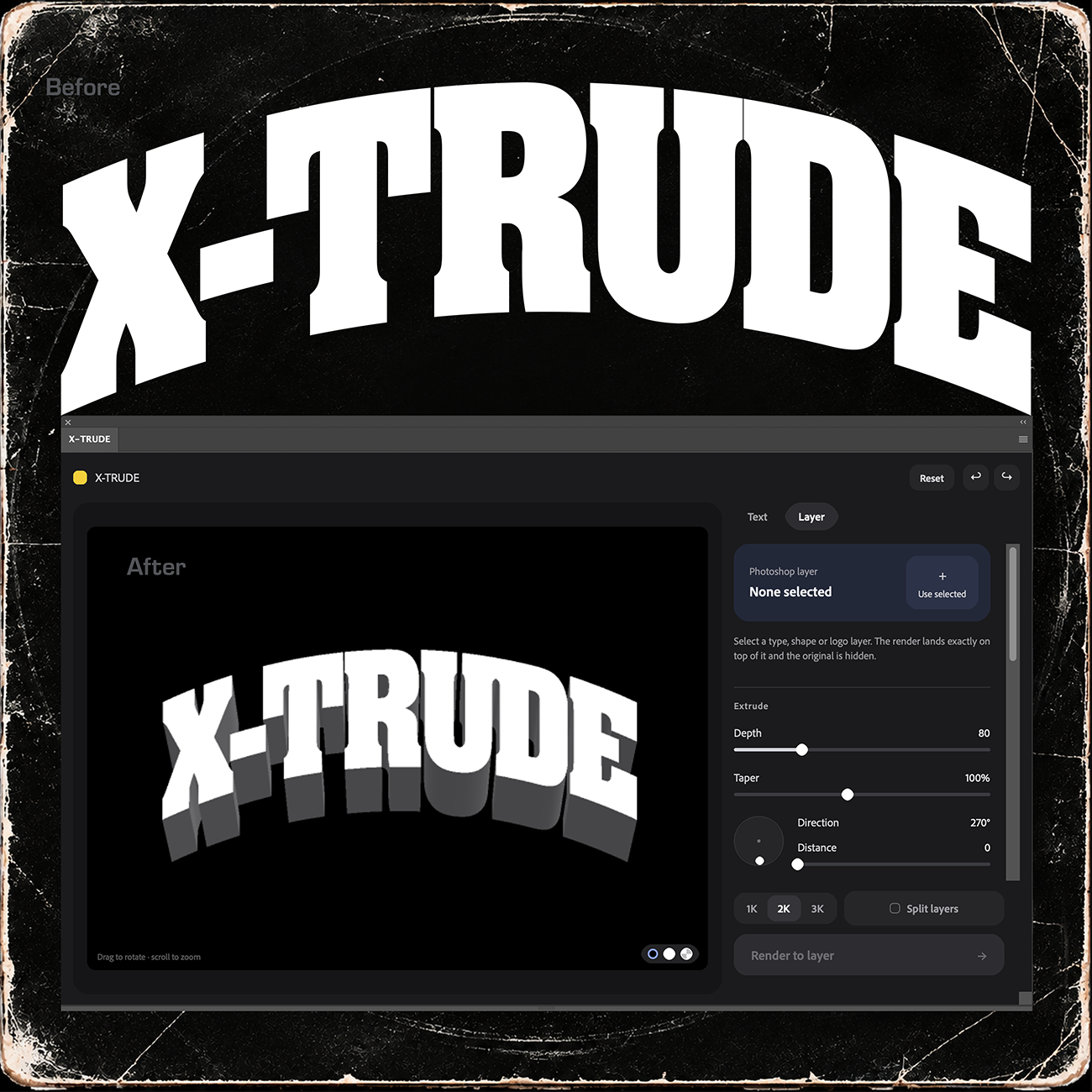 Image 3 of 3
The 3D extrude Photoshop took away is back. X-TRUDE turns any text or layer into bold, dimensional type in seconds, right inside Photoshop. No clunky 3D workspace.
Type your text or select any layer (live type, shapes, logos), set the depth and angle, and click Render to layer. You get a crisp, high-resolution extrusion as a new layer, ready for your own colors, gradients and textures.
WHAT IT DOES
• Extrude text or any layer: 28 built-in fonts, your own .ttf/.otf, or any logo, shape or type layer, right where it sits
• Keeps your work editable: layer extrudes go underneath a copy of your original, so live type stays live
• Full control: depth, taper, direction, distance, lighting, and a Flat or 3D view with tilt, turn and perspective
• Live preview: drag to rotate and see every change instantly
• Made for recoloring: clean black-and-white renders, plus Split Layers for separate Face and Extrude layers
• Save your looks: keep favorite styles as one-click presets
• Pro output: anti-aliased renders up to 3K, full undo/redo, and one Cmd+Z / Ctrl+Z removes a whole render
Perfect for posters, thumbnails, logos, merch, social graphics and retro 3D type.
REQUIREMENTS
Adobe Photoshop 2023 (v24.4) or newer · Mac or Windows · Creative Cloud desktop app
WHAT YOU GET
Instant download: the X-TRUDE installer (.ccx), a quick-start guide and license files. Unzip, double-click X-TRUDE.ccx, then open it from Plugins → X-TRUDE in Photoshop.
The 3D extrude Photoshop took away is back. X-TRUDE turns any text or layer into bold, dimensional type in seconds, right inside Photoshop. No clunky 3D workspace.
Type your text or select any layer (live type, shapes, logos), set the depth and angle, and click Render to layer. You get a crisp, high-resolution extrusion as a new layer, ready for your own colors, gradients and textures.
WHAT IT DOES
• Extrude text or any layer: 28 built-in fonts, your own .ttf/.otf, or any logo, shape or type layer, right where it sits
• Keeps your work editable: layer extrudes go underneath a copy of your original, so live type stays live
• Full control: depth, taper, direction, distance, lighting, and a Flat or 3D view with tilt, turn and perspective
• Live preview: drag to rotate and see every change instantly
• Made for recoloring: clean black-and-white renders, plus Split Layers for separate Face and Extrude layers
• Save your looks: keep favorite styles as one-click presets
• Pro output: anti-aliased renders up to 3K, full undo/redo, and one Cmd+Z / Ctrl+Z removes a whole render
Perfect for posters, thumbnails, logos, merch, social graphics and retro 3D type.
REQUIREMENTS
Adobe Photoshop 2023 (v24.4) or newer · Mac or Windows · Creative Cloud desktop app
WHAT YOU GET
Instant download: the X-TRUDE installer (.ccx), a quick-start guide and license files. Unzip, double-click X-TRUDE.ccx, then open it from Plugins → X-TRUDE in Photoshop.